Partner management
Partner management
This is a web application designed to manage and organize insurance partners, including agents, corporate partners, and sub-branded insurance providers, enabling efficient coordination and partner relationship management. Note : Some images may appear blurred due to client confidentiality requirements and company policies.
This is a web application designed to manage and organize insurance partners, including agents, corporate partners, and sub-branded insurance providers, enabling efficient coordination and partner relationship management. Note : Some images may appear blurred due to client confidentiality requirements and company policies.
Client
Client
Novac digital
Novac digital
Year
Year
2025
2025
Category
Category
B2B Web App
B2B Web App

Research
Research
The application focuses on post-onboarding partner management, including hierarchy mapping and role assignment. It supports five partner flows—Corporate, IMF, Broker, Micro Insurer, and Employee, each with a tailored workflow. Through research, we defined partner relationships and required data structures, ensuring all information is clearly organized and easy to manage.
The application focuses on post-onboarding partner management, including hierarchy mapping and role assignment. It supports five partner flows—Corporate, IMF, Broker, Micro Insurer, and Employee, each with a tailored workflow. Through research, we defined partner relationships and required data structures, ensuring all information is clearly organized and easy to manage.
Research
The application focuses on post-onboarding partner management, including hierarchy mapping and role assignment. It supports five partner flows—Corporate, IMF, Broker, Micro Insurer, and Employee, each with a tailored workflow. Through research, we defined partner relationships and required data structures, ensuring all information is clearly organized and easy to manage.
Design
Design
The main challenge was the lack of direct competitors or references, making it difficult to define the layout and wireframes. While the style guide followed the existing Novac design system, the key challenge was structuring an 8-level partner hierarchy. Since showing all levels at once wasn’t feasible, the design focused on a clear and scalable hierarchy structure
The main challenge was the lack of direct competitors or references, making it difficult to define the layout and wireframes. While the style guide followed the existing Novac design system, the key challenge was structuring an 8-level partner hierarchy. Since showing all levels at once wasn’t feasible, the design focused on a clear and scalable hierarchy structure
Design
The main challenge was the lack of direct competitors or references, making it difficult to define the layout and wireframes. While the style guide followed the existing Novac design system, the key challenge was structuring an 8-level partner hierarchy. Since showing all levels at once wasn’t feasible, the design focused on a clear and scalable hierarchy structure
Development
Development
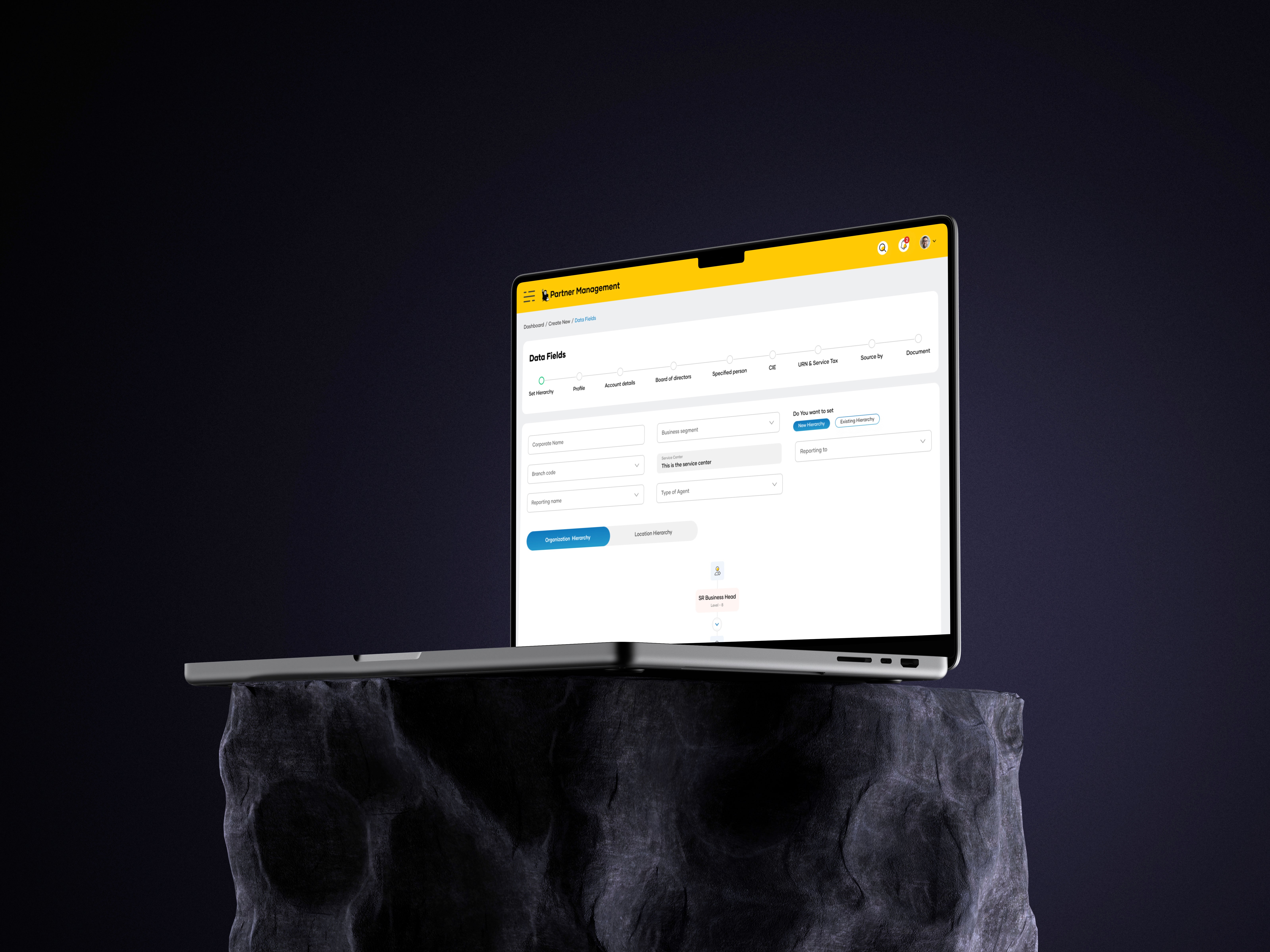
The main focus was hierarchy management, so we explored two approaches: tree structure and thread structure. Developers liked the thread structure (easier to code 😄), but users loved the tree hierarchy for better clarity. So we went with the tree structure, and kept the rest of the data simple using a tab-based flow for smooth navigation.
The main focus was hierarchy management, so we explored two approaches: tree structure and thread structure. Developers liked the thread structure (easier to code 😄), but users loved the tree hierarchy for better clarity. So we went with the tree structure, and kept the rest of the data simple using a tab-based flow for smooth navigation.
Development
The main focus was hierarchy management, so we explored two approaches: tree structure and thread structure. Developers liked the thread structure (easier to code 😄), but users loved the tree hierarchy for better clarity. So we went with the tree structure, and kept the rest of the data simple using a tab-based flow for smooth navigation.
Concept
Concept
The final design starts with “Who are you onboarding?”. Then users can view the hierarchy in tree or thread mode (choose your favorite 😄). Based on the selected role (like Employee), the system smartly asks only the relevant details, keeping the onboarding flow simple and user-friendly.
The final design starts with “Who are you onboarding?”. Then users can view the hierarchy in tree or thread mode (choose your favorite 😄). Based on the selected role (like Employee), the system smartly asks only the relevant details, keeping the onboarding flow simple and user-friendly.
Concept
The final design starts with “Who are you onboarding?”. Then users can view the hierarchy in tree or thread mode (choose your favorite 😄). Based on the selected role (like Employee), the system smartly asks only the relevant details, keeping the onboarding flow simple and user-friendly.


More Works More Works


©2026 Abhimanyu design
GO BACK TO TOP
©2026 Abhimanyu design
GO BACK TO TOP